
Transfer
How to Check Vehicle Transfer Status in Pakistan
Key takeaways
- A transfer is complete only when the ownership record names the buyer.
- Under process means the file is being examined, not that it failed.
- Objections, missing attendance and arrears are the common causes of delay.
- Trace the existing file with its reference instead of filing again.
You can tell whether a vehicle transfer has gone through by checking the excise and taxation department's ownership record against the registration number: the transfer is complete when that record names the buyer rather than the seller, not when the application was filed or the fee was paid. Anything between filing and the updated record is a file in progress, and it can sit there for weeks. This guide explains what to check, what the intermediate states mean, and what to do if the old owner is still shown long after you applied.
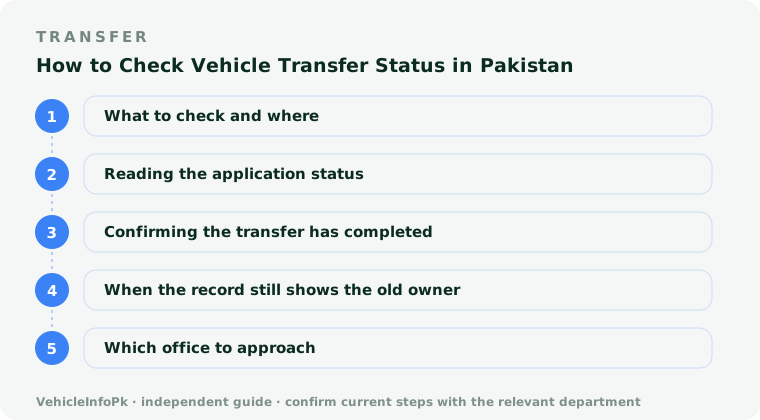
What to check and where
Two records matter, and they are not the same thing.
- The ownership record. Checked against the registration number, this shows the name of the recorded owner. This is the authoritative answer to whether the transfer has completed.
- The application status. Checked against the application reference given when the file was filed, this shows how far the file has progressed. It tells you activity, not completion.
Both are available through the provincial excise and taxation department, either through its own portal or at the office counter with the registration book or smart card and the applicant's CNIC. A transfer is filed with the office that registered the vehicle, so check the record of that province.
Reading the application status
| What it shows | What it means in practice |
|---|---|
| Not found | No file has been created yet, or the application has not entered the system. Check the reference and whether the fee was accepted. |
| Received or submitted | The file exists and the initial entry has been made. Nothing has been examined yet. |
| Under process | The file is being examined: documents compared against the record, dues checked, and verification carried out. This is the ordinary middle stage. |
| Objection or discrepancy | Something does not match and the file is held until it is resolved. Biometric attendance, a party's absence, a dues issue or a mismatch in details are the usual causes. |
| Approved or completed | The decision has been made and the record is updated or about to be updated on the ownership record. |
Status wording differs between provinces, so read the description shown rather than relying on the label alone.
Confirming the transfer has completed
A completed transfer should show up consistently across three things.
- The ownership record names the buyer when checked against the registration number.
- The application status shows completion against the reference number.
- The registration book or smart card has been issued or endorsed in the buyer's name and collected from the office.
Until all three agree, treat the transfer as unfinished. Keep the application receipt, the fee challan and any acknowledgement issued, because these are what you will need to trace the file.
When the record still shows the old owner
A few weeks is normal. Beyond that, work through the causes in order of likelihood.
- Posting delay. A recently approved file can take time to appear on the ownership record. Re-check before assuming anything is wrong.
- An unresolved objection. Read the application status carefully. An objection will not clear itself and the file will not move until it is answered.
- A missing attendance requirement. Where the province requires biometric verification or personal attendance, an absent party holds the file indefinitely.
- Outstanding dues. Arrears on the vehicle can stop a file advancing even though the transfer fee has been paid.
- A gap in the ownership chain. If an earlier transfer was never registered, the chain cannot move until each link is completed.
- Wrong details on the application. A mistyped CNIC, chassis or engine number will hold the file at the examination stage.
Do not hand over the remaining balance, and do not treat the vehicle as yours to sell onward, until the ownership record itself names you. Possession and a signed sale letter are not ownership.
Which office to approach
Start with the office that received the application, since that is where the physical or digital file sits. Take the application reference, both CNICs, the registration book or smart card, the sale letter and the fee receipt, and ask for the file to be traced and the specific reason it is held given in writing or noted on the file. Where the hold is at the registering authority rather than the receiving office, ask which stage it reached so you go to the right place. In each case, note the name of the officer and the date, and revisit with the same reference rather than filing a fresh application, which creates a duplicate file and slows things further.
Check the ownership record against the registration number and keep doing so until it names the buyer, rather than relying on the fact that the fee was paid. If it has not updated several weeks after filing, take your application reference and documents to the office that received the file and ask for the specific reason it is held.
Keep reading
Vehicle Transfer of Ownership Process in Pakistan: Step by Step
Vehicle transfer of ownership in Pakistan runs through sale letter, application, verification, fee and record update. Confirm your province's current fee first.
Documents Required for Vehicle Transfer in Pakistan
Documents required for vehicle transfer in Pakistan: registration book, CNIC copies, sale letter, token tax clearance. Check your province's checklist.
Vehicle Transfer Charges in Pakistan: How the Total Is Worked Out
Vehicle transfer charges in Pakistan combine a transfer fee, stamp duty, document issue and dues. See how the total varies and confirm it before paying.