
Verification
How to Verify Vehicle Ownership Online in Pakistan
Key takeaways
- Enter the registration number on your provincial portal to see the recorded owner and vehicle details
- Always match the engine and chassis numbers against the registration book, not just the name
- A record showing a previous owner means the transfer of ownership was never completed
- Save a dated screenshot of the lookup result with your other vehicle papers
You can verify a vehicle's ownership record online by entering its registration number on your provincial vehicle verification portal; the result shows the recorded owner, the vehicle's make and variant, and its engine and chassis numbers. The search takes under a minute and works for cars, motorcycles and commercial vehicles registered in that province. It is the most useful check to run before you pay for a used vehicle, and worth repeating once a year on a vehicle you already own.
What the lookup returns
Most provincial verification portals return the same core fields, although the exact list differs between Punjab, Sindh, Khyber Pakhtunkhwa, Balochistan and the Islamabad Capital Territory. Read the result page carefully rather than assuming a field is missing just because it looks blank.
| Field | What to check |
|---|---|
| Registration number | Should match the plate on the vehicle exactly, including any series letters. |
| Owner name | Compare against the registration book and, for a purchase, the seller's CNIC. |
| Vehicle class and make | Car, motorcycle, rickshaw or commercial class, plus manufacturer and variant. |
| Engine number | Must match the number stamped on the engine block and printed in the registration book. |
| Chassis number | Must match the frame stamping and the registration book or smart card. |
| Registration date | Useful for estimating the vehicle's age and checking it against the seller's story. |
| Token tax status | Shows whether the annual token tax is paid up to date or has arrears. |
| Fitness certificate | Shown mainly for commercial and public transport vehicles. |
What you need before you search
- The full registration number read from the physical plate, not from a message or an advertisement.
- The correct provincial portal. A vehicle registered in one province will not appear in another province's database, and some vehicles are registered in a province they no longer operate in.
- The registration book or smart card, so you can compare every field line by line.
- If you are buying, the seller's CNIC and the sale letter or transfer papers they are offering.
How to run the check
- Read the number off the plate and write it down, noting the series letter and any separating dash.
- Open the provincial vehicle verification portal for the province shown on the plate.
- Enter the registration number exactly as displayed, including spaces or dashes if the portal asks for them, and complete the captcha.
- Compare the returned engine number, chassis number and owner name against the registration book.
- Save or screenshot the result with the date, so you have a record of what the database said on the day you checked.
A lookup result is a snapshot of the provincial database, not a title document. It tells you what the record says today; it does not by itself prove who owns the vehicle in law, and it does not replace the registration book, the smart card or a properly executed transfer.
When the record looks wrong
Three problems account for most failed lookups. The first is transcription: a single mistyped digit or a wrong series letter returns no record at all. Re-enter the number slowly, then try again with and without the dash. The second is the province: if the plate shows a region from another province, search that province's portal instead. The third is timing: a freshly registered vehicle, or one whose transfer was submitted only days ago, may not appear until the record is updated.
If the portal returns a record but the owner name is someone other than the person selling the vehicle, stop and ask why. A vehicle still recorded in a previous owner's name means the transfer was never completed, and the person showing it to you may not be in a position to sell it.
What to do with the result
For a buyer, treat a clean match as the point where the rest of the checks begin: confirm token tax is current, check for unpaid challans on the traffic police challan portal, inspect the engine and chassis stampings in daylight, and only then discuss payment and transfer. For an owner, a yearly lookup is a cheap way to catch problems early, such as a vehicle still registered in your name after you sold it, or a transfer that never went through.
VehicleInfoPk publishes guides like this one as plain-language reference material only; for anything a lookup cannot resolve, the provincial excise and taxation department is the body that holds the authoritative record.
Run the lookup before money changes hands, and keep the screenshot with your other vehicle papers. If every field matches, the next step is to complete the transfer of ownership; if any field does not, resolve it with the seller before you go any further.
Keep reading
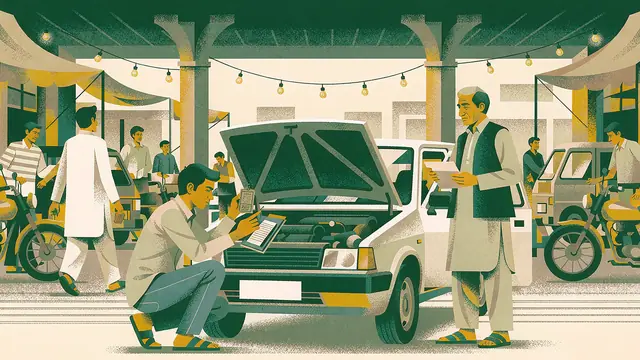
How to Verify a Used Car Before Buying in Pakistan
Before you pay for a used car: documents, engine and chassis number matching, verification lookup, token tax status, seller CNIC and sale letter.
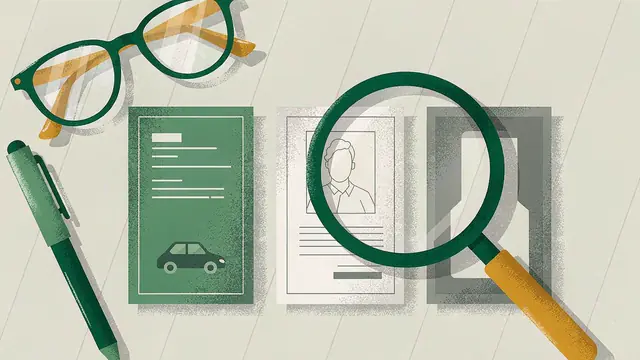
Which Documents and Numbers You Need Before a Vehicle Verification
Vehicle verification needs your registration number, owner CNIC and chassis number. See why each is required and what to do if one is missing.
Vehicle Verification for First-Time Buyers: When to Check and What
Verifying a used car in Pakistan: check before the booking amount, then again before the balance. A sequence for first-time buyers.