
Token Tax
Vehicle Tax Payment Guide in Pakistan: Slips, Routes, Proof and Follow-Up
Key takeaways
- Always generate the demand for the right period against the exact registration number.
- Bank branch, ATM, banking app and department channels all give traceable proof.
- Keep reference, date, amount and period together for every payment you make.
- A payment that does not appear is usually a posting delay or a mistyped number.
Paying vehicle tax in Pakistan begins with generating the correct payment slip or PSID for your registration number and the period you owe, then settling it through one of several routes and keeping a traceable proof. The routes available to most owners are a bank branch counter, an ATM, banking through an app or internet banking, and the provincial excise and taxation department's own payment channel. This guide covers each step in order, including what to keep afterwards and what to do when a payment does not appear on the vehicle record.
Getting the payment slip or reference
Before any money moves, you need a demand that is tied to the right vehicle and the right period. That demand is normally produced against the registration number and carries its own reference, often called a PSID.
- Have the details to hand. The registration number exactly as printed on the registration book or smart card, the owner's CNIC, and the period you intend to pay.
- Generate the demand for the correct period. Check that it covers the period you mean, especially after a purchase, because an earlier period may already be outstanding.
- Read the vehicle description back. Class, engine capacity and registration number should match the document; if they do not, get the record checked before paying.
- Note the reference before you leave. Write down or save the PSID or reference number; it is what connects your payment to the vehicle.
Each province runs its own arrangement for producing a demand, and not every vehicle or period works through every channel. If a demand cannot be raised online, ask at the excise and taxation department counter with the registration book and CNIC.
Routes available for payment
| Route | How it works | Proof it gives you |
|---|---|---|
| Bank branch counter | Present the printed slip or reference and pay in cash or by instrument | Stamped challan copy or counter receipt |
| ATM | Enter the reference through the bill or tax payment option | Printed transaction slip with reference and date |
| Banking app or internet banking | Select the tax or bill payment option and enter the reference | Transaction record in the app or statement |
| Department payment channel | Follow the payment step where the demand was generated | Confirmation slip or reference against the vehicle |
- Branch payment suits owners who want a stamped document immediately and anyone paying on behalf of someone else.
- ATM payment works well with a printed slip in hand and depends on the machine offering that payment category.
- App or internet banking is the most convenient once you have the reference, and leaves a record you can retrieve later.
- The department channel keeps generation and payment together, which reduces the chance of typing errors.
Proof of payment and what to keep
Keep enough detail to trace the payment months later, without relying on memory.
- The registration number the payment was made against.
- The PSID or reference number, or the challan number where one was issued.
- The date, the amount and the period the payment covered.
- The paid challan, transaction slip or a screenshot of the completed transaction.
Photograph paper slips straight away, since thermal receipts fade. A single folder or phone album per vehicle is enough, and it becomes valuable evidence if a period later looks open.
When a payment does not appear
A payment that does not show against the vehicle is usually a timing or identification issue, and the steps below resolve most cases.
- Allow the posting window. Payments typically take a few working days to reach the vehicle record; check again before treating it as lost.
- Verify the reference was correct. Compare the reference on your proof with the one generated for the vehicle. A mistyped registration number posts the money against another record.
- Confirm the period. A payment covering one period leaves an earlier period still showing as outstanding.
- Confirm the money left your account. Retrieve the transaction record from the branch, ATM or banking app; if it did not settle, the payment needs to be made.
- Take the proof to the department. Where the money has clearly left and the record still shows due, ask staff to trace the payment against the reference and reflect it.
- Settle only once the position is clear. If the payment cannot be traced at all, pay the outstanding period and keep both records so the duplicate can be reconciled later.
Habits that prevent payment problems
A few small habits remove most of the friction. Pay well before any deadline you depend on, since you need time for the payment to post before showing proof at a transfer or inspection. Read the reference aloud or copy it rather than retyping it from memory. Pay against your own registration number every time, even when someone else is standing at the counter.
Generate the demand for the correct period, pay through whichever route gives you traceable proof, and file that proof against the vehicle straight away. Check the record a few working days later, and take any unresolved gap to your provincial excise and taxation department with your receipt.
Keep reading
Token Tax in Pakistan: What It Is, Who Pays and How It Is Calculated
Token tax in Pakistan is the annual provincial road tax on a registered vehicle, charged by engine size or category. Rates differ in every province.
How to Pay Token Tax in Pakistan: Branch, Online Banking and Portal
Pay token tax in Pakistan by bank payment slip, online or mobile banking, or the provincial portal. Always keep the paid challan as proof of payment.
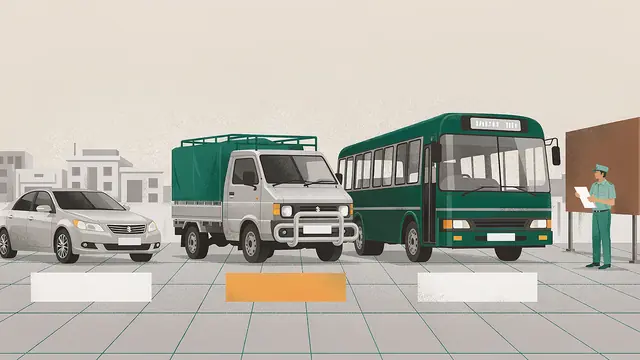
Token Tax Categories in Pakistan: Private, Commercial and Public Transport Vehicles
Token tax categories in Pakistan split private, commercial and public transport vehicles into separate provincial schedules with different annual rates.